2 in
2 in

Strong passport photo
GoodWhy this works
Centered face, neutral expression, plain light background, and no accessories blocking the face.
Use these examples to compare your photo before you print or submit it.
These photos follow the main passport rules and are strong examples to copy.
Why this works
Centered face, neutral expression, plain light background, and no accessories blocking the face.
These photos show common problems that can cause delays or rejections.
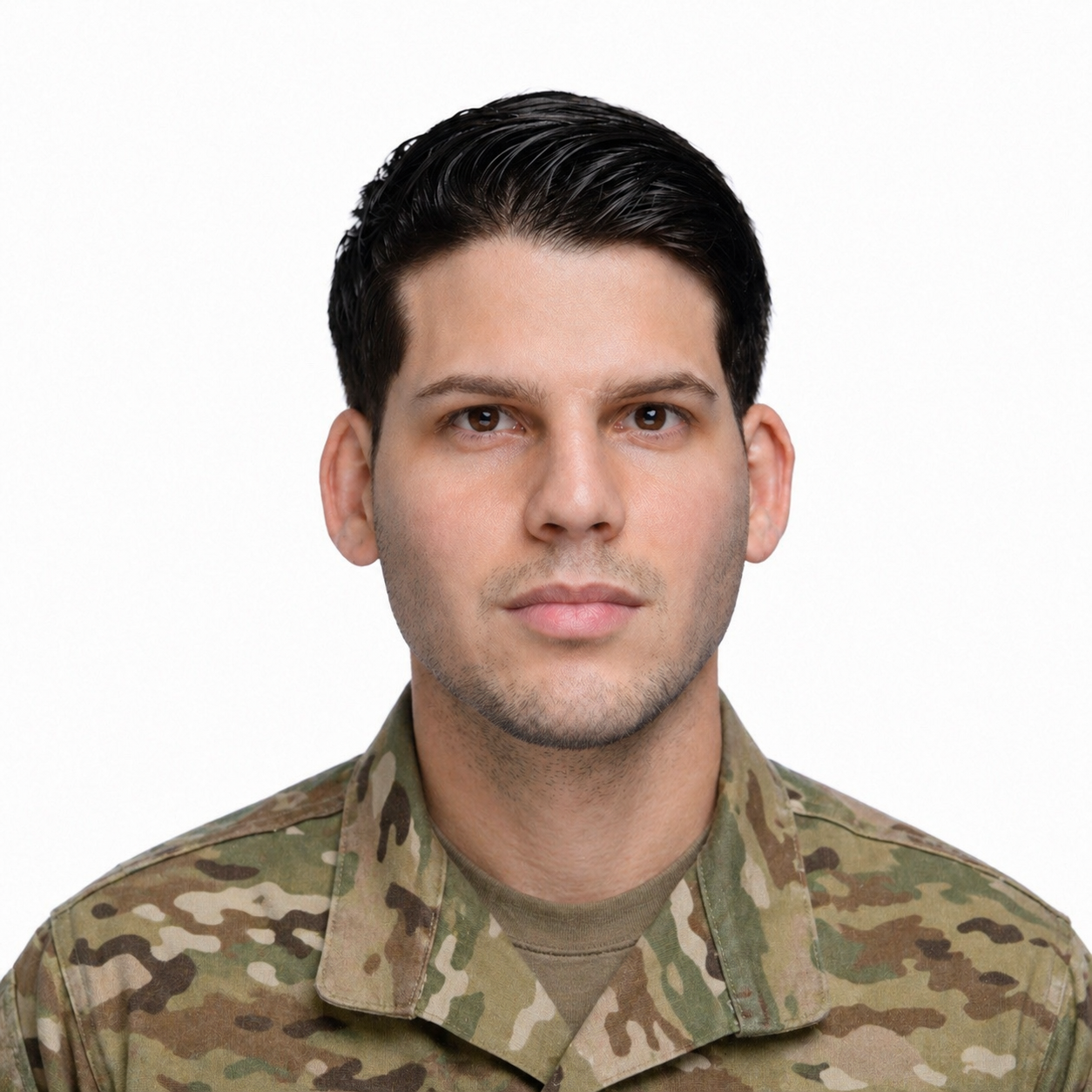
Why this fails
Uniform-style clothing can cause problems because passport photos should look like everyday attire unless an exception applies.

Why this fails
A gray background does not match the plain white or off-white background expected for U.S. passport photos.

Why this fails
The heavy shadow on the background shows uneven lighting and can make the photo fail review.

Why this fails
Glasses are not allowed in most passport photos because they can create glare or block the eyes.

Why this fails
Hats and head coverings are not allowed unless they are worn daily for religious or medical reasons.